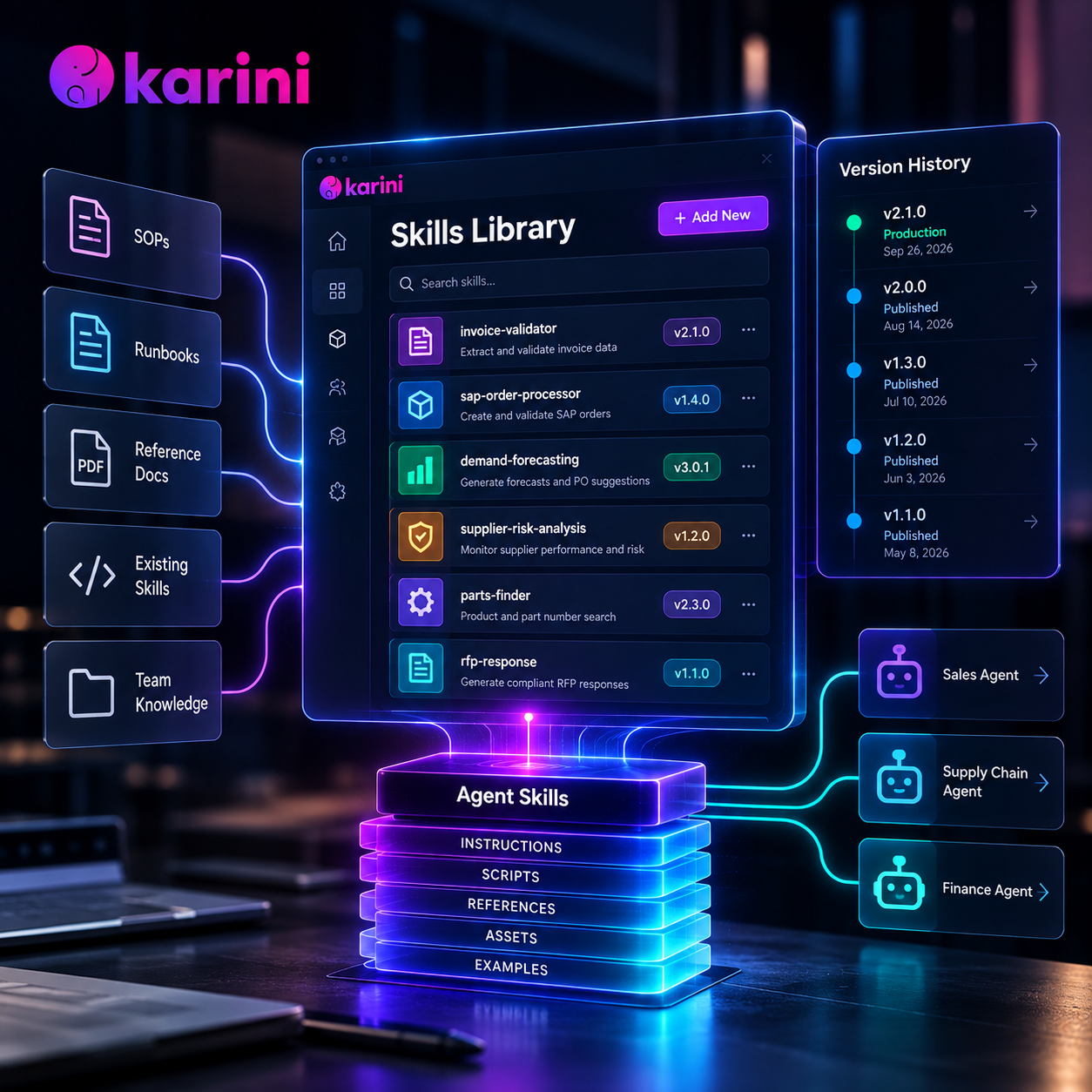
TL;DR: The Karini AI Skills Library is where your organization's agent skills live, change, and ship. Import a skill you already have, or hand Kai an SOP and watch it become one. Publish immutable versions, diff them before you ship, and pin every agent to the exact version it should run.
A skill rarely breaks in production because it was written badly. It breaks because someone improved it for one workflow and quietly changed it for five others.
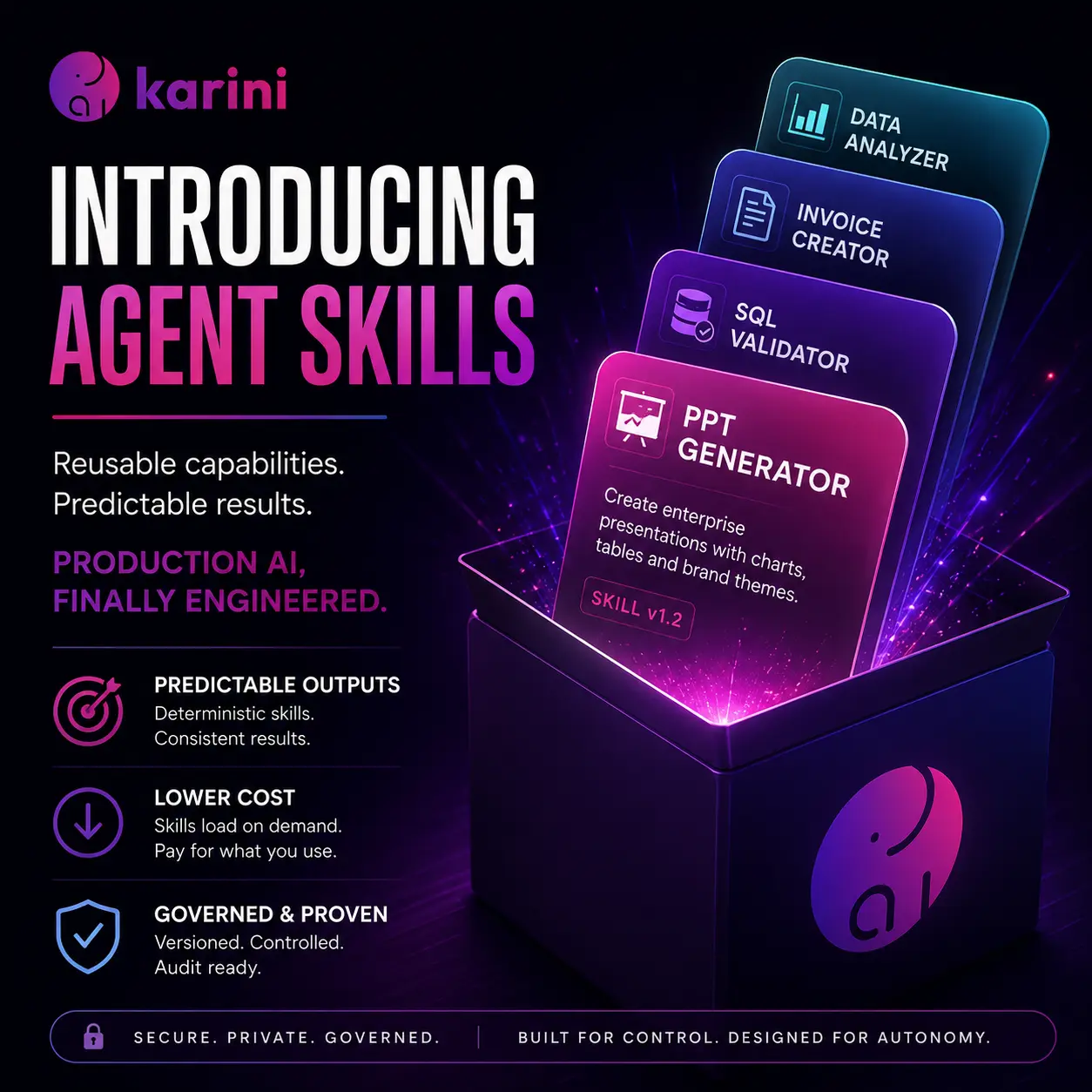
When we launched Agent Skills in August, we moved capabilities out of monolithic prompts and into portable packages of instructions, scripts, and resources. Teams took it from there. They started writing their own skills, lots of them, and asked the next questions. Where do these live? Who changed this one? Which version is running in production right now?
A skill buried in one agent's settings cannot answer any of that. It is hard to find, hard to reuse, and hard to change safely.
A skill needs what every other piece of production code gets: a home, an owner, and a version history. That is what the Skills Library is.
The Skills Library Is Live
The Skills Library is a central, versioned repository in Karini AI for agent skills: reusable packages of instructions, scripts, and reference files, in the open Agent Skills format, that AI agents load only when a task needs them. Teams use it to import, author, version, and share skills across every agent in the organization. It changes three things.
- Your expertise gets a home. Every custom skill, whether imported, hand-written, or drafted by Kai from an SOP, lives in one searchable library instead of scattered across agent configs.
- Your agents stop drifting. Each agent is pinned to a published, immutable version. A new version reaches an agent only when someone chooses to move it.
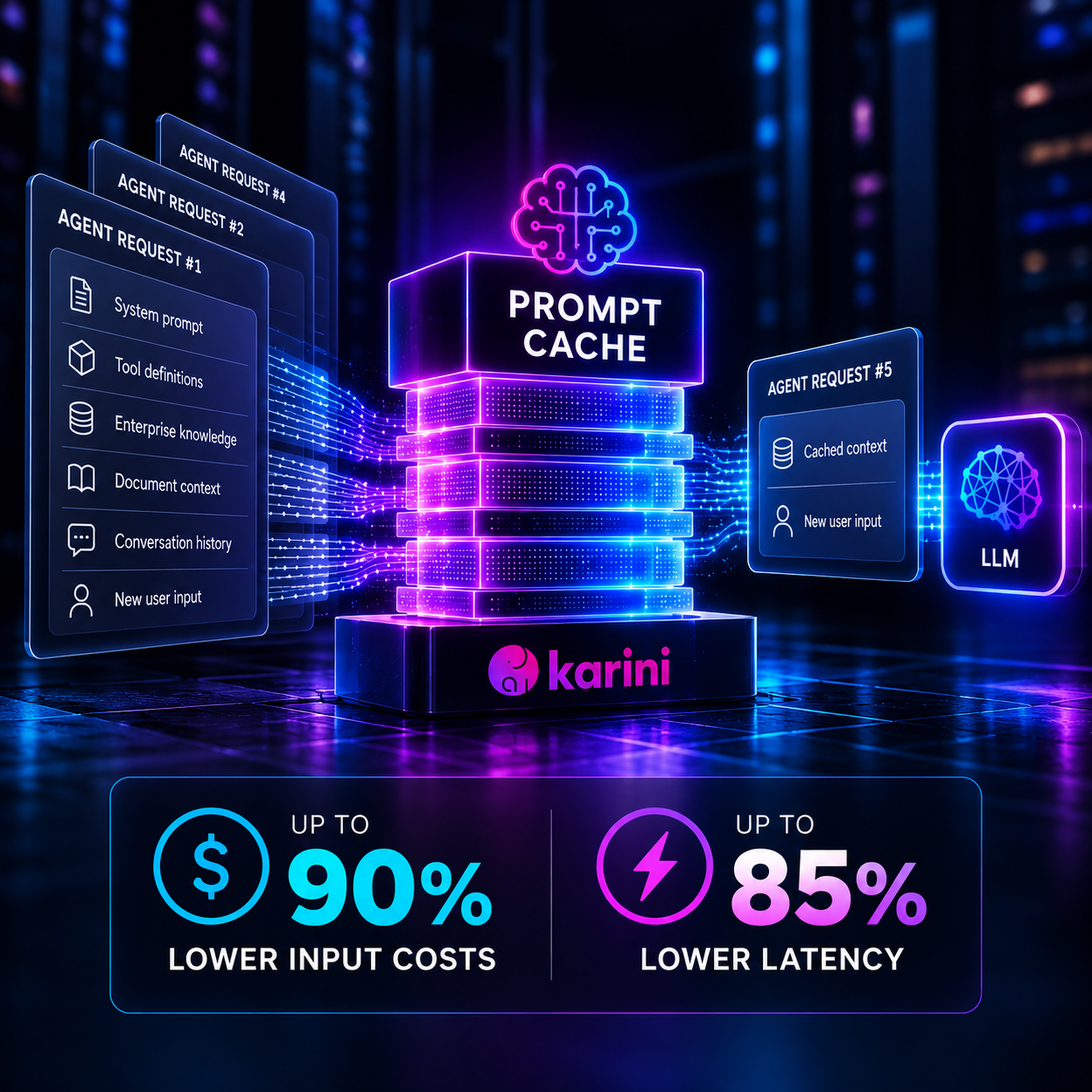
- Your context bill drops. A heavy system prompt is paid for on every turn of every run, whether the task needs it or not. Move that expertise into skills and the agent carries a one-line description of each, loading the full instructions only when a task calls for them. Skills also run scripts, so work the model would otherwise do token by token (parsing a file, validating totals, formatting a deliverable) runs as tested code in the sandbox.
Let the model spend its tokens on judgment. Let the library hold everything else. That is context engineering, not prompt stuffing.
What Is Inside a Skill, and Where It Lives
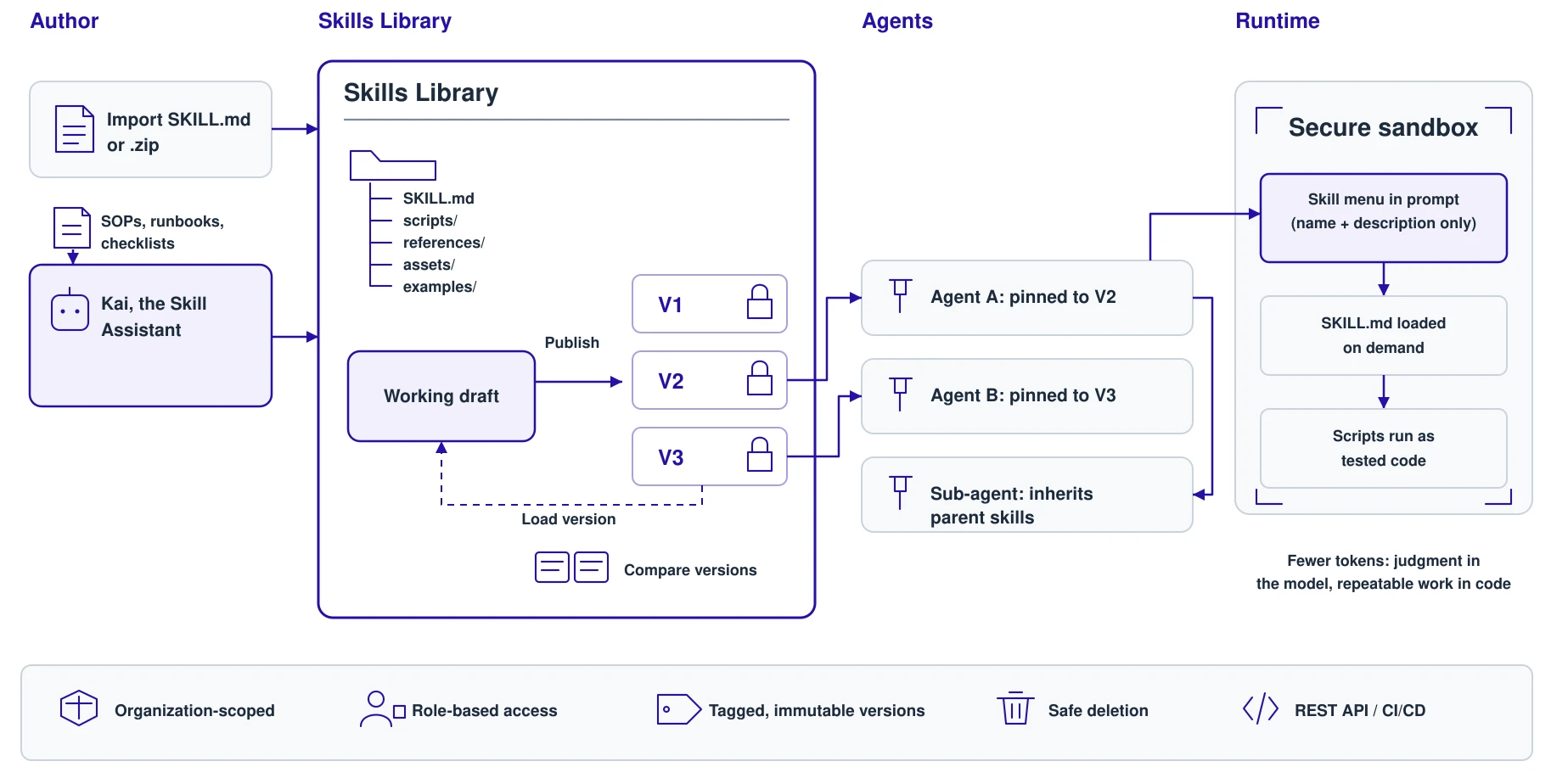
A skill is still a folder with a SKILL.md at its root. It follows the open Agent Skills format: YAML frontmatter with a name and a description, then markdown instructions.
invoice-validator/
├── SKILL.md          # frontmatter (name, description) + instructions
├── scripts/          # helpers the agent runs in its sandbox
├── references/       # deeper docs, read only when needed
├── assets/           # templates, images, themes
└── examples/         # sample inputs and outputs
The format is open, so skills you have already built elsewhere drop straight in. No lock-in. What changes is where they live.
The Skills Library lists every custom skill in your organization with its type, latest published version, and who created and last updated it. It is searchable and sorted by most recent activity.
Open any skill, and you get an IDE-style workspace. A resizable file tree sits on the left and a viewer and editor on the right. Markdown renders with a Preview/Raw toggle, images display inline, and every file is one click from edit mode.
Two Ways In: Import It, or Describe It
Bring the Skills You Already Have
Click + Add new, then drag in a SKILL.md or a .zip of an entire skill folder.
- Unpacked in your browser. The archive opens client-side, a wrapping top-level folder is stripped automatically, and
SKILL.mdopens first. - Review before you commit. Every file lands in an editable tree. Rename, edit, add, or delete anything before you click Create.
- The skill names itself. The name comes from the
name:field inSKILL.md: lowercase kebab-case, up to 64 characters, unique in your organization. - Safe by default. Uploads are capped at 5 MB, path-traversal entries are rejected rather than extracted, OS clutter like
__MACOSXand.DS_Storeis dropped, and frontmatter is parsed with a safe YAML loader.
Starting from nothing? Use New file and New folder directly in the tree.
Or Turn an SOP into a Skill
Your best skills are already written. They are just written for people: SOPs, runbooks, and checklists. Kai, the Skill Assistant, rewrites them for agents.
Open Kai from the button in the corner of any skill page. Tell it what you need, for example "Build a skill to extract data from invoices and validate line-item totals", and attach up to five reference documents.
Kai's files stream into the file tree and editor as they are written, SKILL.md first. When your request leaves gaps, Kai asks about the missing requirements. When you have given it enough, it goes straight to a finished draft.
You stay in control. Nothing Kai writes is saved until you review and save it, and publishing is blocked while any of Kai's edits are unsaved.
Version It Like Code. Read It Before You Ship It.
Skills change. Agents in production should not change with them by accident.
- Draft. Every edit, whether saving, adding, renaming, or deleting a file, lands in the skill's working draft.
- Publish. Click Publish to freeze the draft as the next version: V1, V2, V3. Add tags as you go; admins can require at least one tag before anything ships. Published versions are immutable and can never be overwritten.
- Load version. Need to go back? Load any earlier version as the working copy and continue from there.
- Compare with other versions. See two versions' file trees side by side, each file marked Added, Removed, or Unchanged. Click any file for a line-by-line diff.
Publishing creates a version. Pinning decides who runs it. New versions never reach an agent on their own.
Every Agent Runs a Version You Chose
In the Prompt Playground, the Skills tab lets you add Native or Custom skills to an agent. Search, filter by Active or Inactive, and open Explore files to inspect exactly what a skill contains before you choose a version.
Every attachment is pinned to a specific published version. Publishing V3 does not touch an agent running V2 until you choose to upgrade it. Changing an agent's skills moves it back to draft, so nothing reaches production without a publish.
Skills work across regular agents, deep agents, sub-agents, and agents used as tools. Sub-agents inherit their parent's skills in addition to their own.
A Bigger Library, Not a Bigger Prompt
You can give an agent a dozen skills without blowing up its context window. Skills rely on progressive disclosure, and five rules make that true, now across every version you publish.
- The agent sees a menu, not the meal. At startup, the system prompt lists only each skill's name, description, and location. Ten skills cost about ten sentences of context, not ten documents.
- Instructions load on demand. When a task matches a skill's description, the agent reads that skill's
SKILL.md, and only then. Deeper references are pulled in only if the instructions call for them. - Skills execute, not just instruct. A skill's scripts and assets are uploaded into the agent's secure sandbox before it runs, and the agent is told to run the tested helper rather than rewrite it. Uploads are idempotent per session and re-sync when you switch versions. Parallel workflows never mix each other's skills.
- Agents only see what they are granted. The runtime loads the exact skills configured on each agent. There is no folder scanning and no implicit "all skills" fallback.
- Skills are read-only to agents. An agent can read and run a skill, but any attempt to write to skill files is rejected. The version you published is the version that executes.
What Ships on Day One
The library ships with native skills your agents can use on day one:
- Documents and deliverables: PDF, DOCX, PowerPoint, Excel, HTML, Markdown, CSV, JSON, YAML
- Business documents: invoices, resumes, email
- Data: charts, and text-to-SQL with a validator that checks queries without touching your database
Every agent also gets two always-on system skills: interrupt-request for structured human-in-the-loop escalation, and file-link, which turns generated files into download links.
Governance, the Short Version
A library your whole organization writes to needs rules everyone can predict.
- Organization scoping. Custom skills are scoped to your organization. Native skills are global and cannot be deleted or shadowed.
- Role-based access. Admins and power users create, edit, publish, and delete. Users have read access.
- Governed publishing. Optional required tags, immutable versions, and version-pinned attachments.
- Safe deletion. A skill still used by a prompt or recipe cannot be deleted, and you see exactly where it is used.
- Automation-ready. A documented REST API covers listing, creating, and updating skills, publishing and listing versions, and managing individual files. Skills can ship through your CI/CD pipeline like any other code.
Watch It Run
Demo 1: Build a Skill in Natural Language from an Existing SOP
Start by stating your requirements or uploading your SOPs, and attach them to Kai. Watch SKILL.md, scripts, and references stream into the file tree, review the draft, then save and publish V1.
Demo 2: Test an Agent with a Custom Skill
In the Prompt Playground, open Skills → Add new → Custom, pick the skill and its version, and attach it to an agent. Run a test task and watch the agent load the skill only when the task calls for it, then run its tested helper to produce the result.
Skills Are Production Code Now
A single prompt carried most teams through the pilot phase. A portfolio of production workflows, sharing dozens of skills, needs what production code has always needed: ownership, review, versions, and a way back.
Agent Skills made each capability a unit with a name, a description, and working code. The Skills Library gives that unit an owner, a version history, and one place to live.
Open Skills Library from the sidebar. Import a skill or hand Kai an SOP, publish V1, and pin it to an agent in the Prompt Playground under Skills → Add new → Custom.
Your agents just learned something new, and you know exactly which version they learned.
See the Skills Library on your own agents. Walk through it with our team: turn one of your SOPs into a skill, pin it to an agent, and run it end to end. Book a demo.
FAQ: Skills Library, SKILL.md, and Agent Skill Versioning
What is an agent skill?
An agent skill is a packaged capability an AI agent can pick up on demand: a folder of instructions, scripts, reference docs, and assets with a SKILL.md file at its root. In Karini AI, skills work with agents, deep agents, sub-agents, and agents used as tools.
What is a SKILL.md file?
SKILL.md is the entry point of a skill. It starts with YAML frontmatter holding the skill's name and description, followed by markdown instructions the agent reads when a task matches the description.
What is the difference between a skill and a system prompt?
A system prompt is loaded on every turn, whether the task needs it or not. A skill costs one line in the prompt until it is needed, then loads its full instructions and runs its scripts as tested code, which reduces token usage and keeps behavior consistent.
What is the Skills Library?
One place in Karini AI to import, author, version, and share custom skills across every agent in your organization. It sits in the sidebar between Prompt Templates and Recipes.
How is it different from the Skills tab in the Prompt Playground?
The library is where skills are built and versioned. The Skills tab is where you attach a specific published version to a specific agent.
Can I import skills built outside Karini AI?
Yes. Any skill in the open Agent Skills format works, including skills exported from Claude. Upload a SKILL.md or a .zip of the folder, up to 5 MB.
What happens to my agents when I publish a new version?
Nothing, until you choose. Every agent stays pinned to the version it was attached to, and changing an agent's skills moves it back to draft.
Can I roll back a skill?
Yes. Published versions are immutable. Point an agent back at an earlier version, or load that version as your working copy and continue from there.
How do skills reduce token usage?
The agent's prompt holds only each skill's name and description. Full instructions load only when a task needs them, and repeatable work runs as scripts in the sandbox instead of in the model's output.
Can Kai build a skill from our existing documentation?
Yes. Attach up to five reference documents, such as an SOP or runbook, and describe what you need. Nothing Kai writes is saved until you review it.
Who can create and publish skills?
Admins and power users create, edit, publish, and delete. Other users have read access. Admins can require a tag on every publish.
Can we manage skills from CI/CD?
Yes. A documented REST API covers creating and updating skills, publishing and listing versions, and managing individual files.